
Facebook & Instagram Ads and thought, “How did that ad know exactly what I was thinking about?” You’re not alone — and the answer is Meta Ads.
Meta Ads are one of the most powerful tools available for businesses of all sizes. Whether you’re selling handmade candles, running a local gym, or launching an online course, Meta Ads can help you reach the right people at the right time — without needing a massive budget.
In this guide, we’ll break everything down in plain English. No jargon. No confusion. Just a clear, step-by-step look at how Meta Advertising works and how you can use it to grow your business.
What Are Meta Ads?
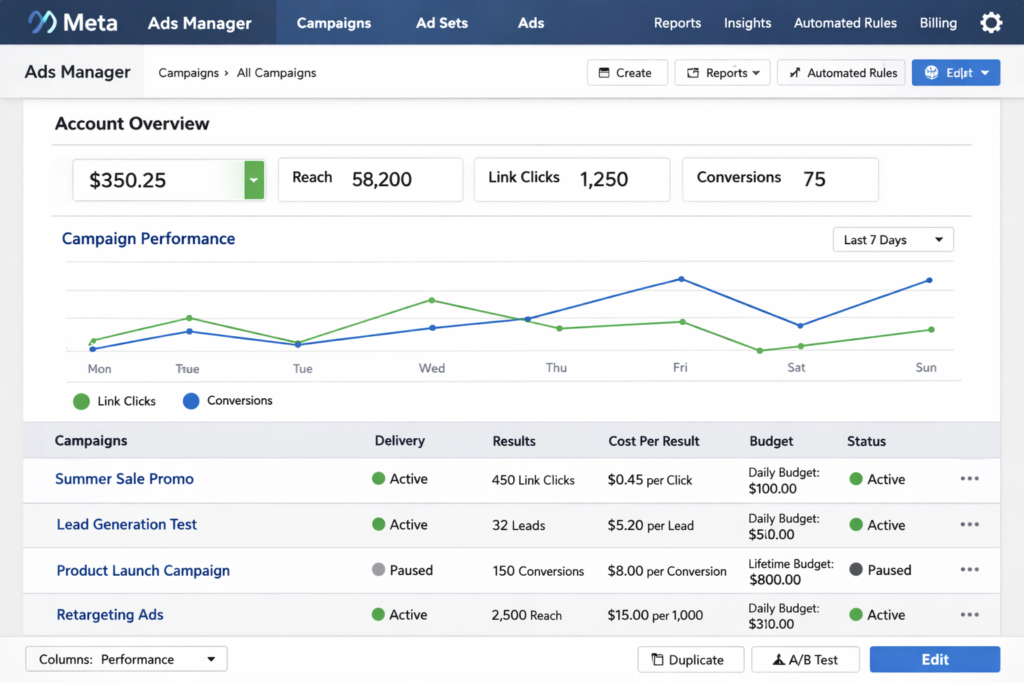
Meta Ads are paid advertisements that appear on Facebook, Instagram, Messenger, and the Audience Network (a collection of third-party apps and websites). They’re managed through a platform called Meta Ads Manager — your one-stop hub for creating, running, and tracking ads.
Think of Meta as the parent company that owns both Facebook and Instagram. When you run Meta Ads, you can choose to show them on one platform or both at the same time. That’s a huge advantage — you’re tapping into a combined audience of over 3 billion people worldwide.
Unlike a billboard that anyone might see, Meta Ads are targeted. That means your ad about yoga classes can appear specifically to women aged 25–40 in your city who follow fitness pages. That’s the magic.
Why Businesses Should Use Meta Ads
You might be wondering: “Can’t I just post on social media for free?” Absolutely — but here’s the reality. Organic reach (the people who see your free posts) has dropped significantly over the years. Meta Advertising gives your content the boost it needs to actually reach people.
Here’s why businesses love Meta Ads:
• Massive reach — over 3 billion monthly active users across Meta platforms.
• Laser-sharp targeting — reach people by age, location, interests, behavior, and more.
• Flexible budgets — you can start with as little as $5 per day.
• Measurable results — see exactly how many clicks, leads, or sales your ad generated.
• Creative freedom — run image ads, video ads, carousel ads, and more.
Whether you want more website visits, app downloads, or in-store customers, social media advertising through Meta can make it happen.
Types of Meta Ads
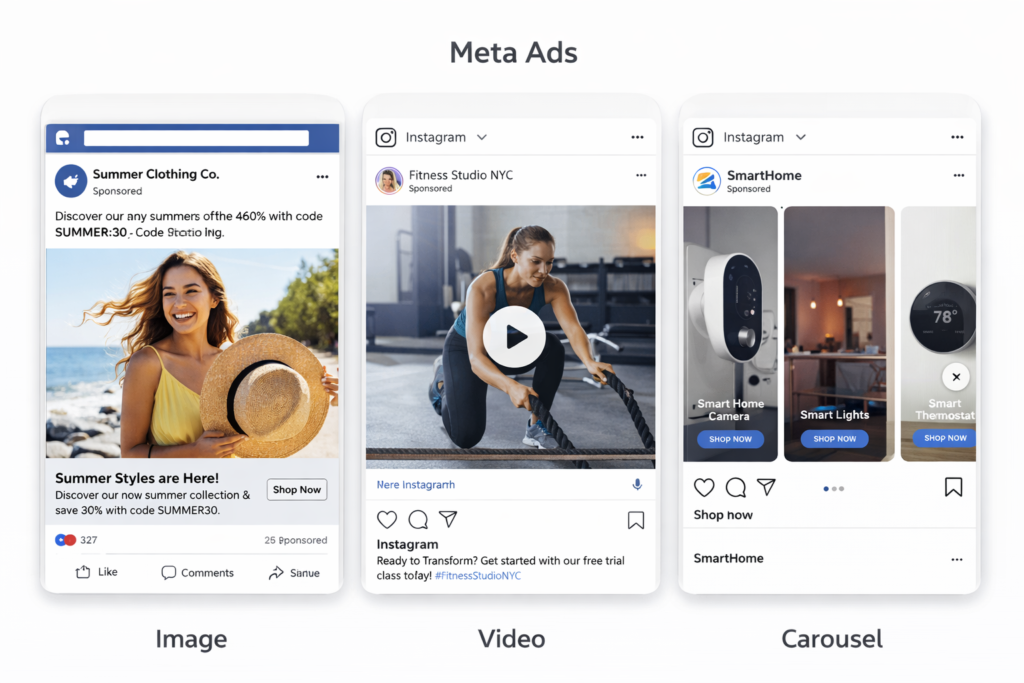
Meta offers several ad formats, so you can pick what works best for your message:
Image Ads
Simple, clean, and effective. A single photo with a caption and a button (like “Shop Now” or “Learn More”). Great for showcasing a product or promotion.
Video Ads
Perfect for telling a story or showing your product in action. Short videos (under 15 seconds) tend to perform especially well on Instagram.
Carousel Ads
Show multiple images or videos in one ad that users can swipe through. Ideal for e-commerce stores showcasing several products.
Stories Ads
Full-screen vertical ads that appear between Instagram or Facebook Stories. They feel native and natural to how people browse.
Lead Ads
Designed to collect contact info (like email addresses) directly in the app — without users having to visit a website. Great for newsletters, consultations, or free downloads.
How Meta Ads Work (Algorithm + Targeting)
Meta’s ad algorithm is constantly learning. Every time someone clicks, likes, or ignores an ad, Meta gathers data. It uses all that information to figure out who is most likely to engage with your ad — and shows it to those people.
Here’s how the targeting works:
• Core Audiences — You manually select who sees your ad based on location, age, gender, language, and interests.
• Custom Audiences — Target people who already know you, like your website visitors, email list, or past customers.
• Lookalike Audiences — Meta finds new people who are similar to your existing customers. This is incredibly powerful for scaling.
The algorithm also considers your ad quality, relevance, and bid amount when deciding how often and to whom your ad appears. The better your ad performs, the less you typically pay per result.
Step-by-Step Guide to Creating a Meta Ad
Ready to run your first Facebook Ad or Instagram Ad? Here’s how to get started:
1. Step 1: Set Up a Meta Business Account
Go to business.facebook.com and create your free Business Manager account. This is where you’ll manage all your ads.
2. Step 2: Open Ads Manager
Inside Business Manager, click on “Ads Manager.” This is your control center for all Meta Ads campaigns.
3. Step 3: Choose Your Campaign Objective
What do you want your ad to do? Options include Awareness, Traffic, Engagement, Leads, App Promotion, and Sales. Pick what matches your goal.
4. Step 4: Define Your Audience
Use the targeting tools to narrow down who sees your ad. Start specific — it’s better to reach 10,000 of the right people than 100,000 random ones.
5. Step 5: Set Your Budget and Schedule
Decide on a daily or lifetime budget and how long you want the ad to run. Even $10–$20 per day can generate real results when targeted well.
6. Step 6: Design Your Ad
Upload your image or video, write your headline and ad copy, add a call-to-action button, and preview how it looks on different placements.
7. Step 7: Publish and Monitor
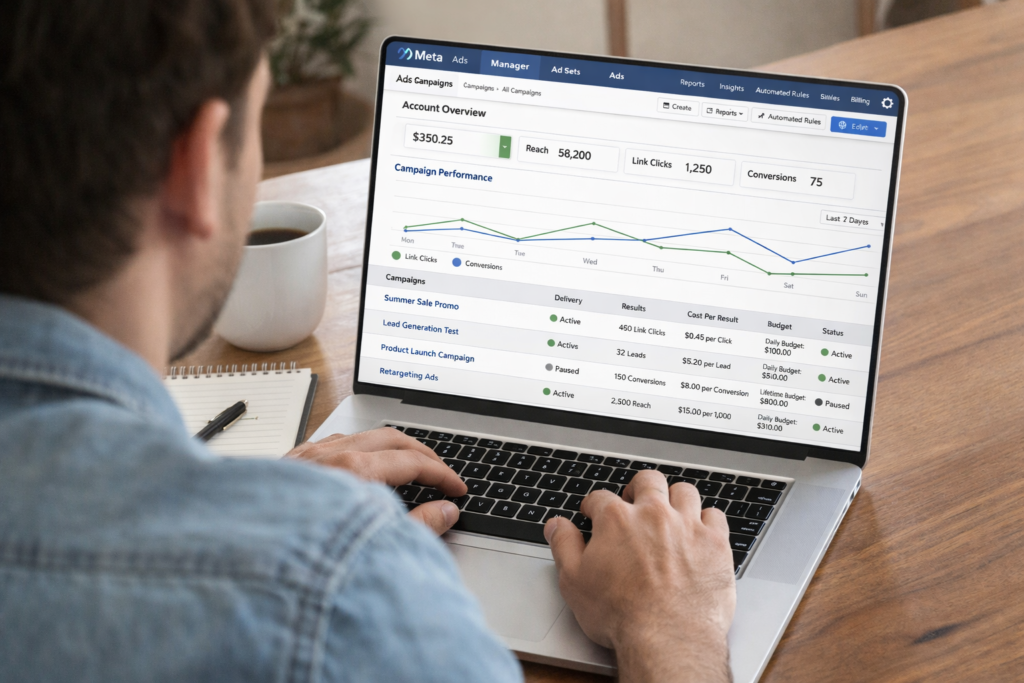
Hit publish and watch the data come in. Check your results daily and make small adjustments to improve performance over time.
[INTERNAL LINK SUGGESTION: Link the phrase “digital marketing basics” to your beginner’s guide on digital marketing — e.g., /digital-marketing-basics-for-beginners]
[EXTERNAL LINK SUGGESTION: Link “Meta Ads Manager” to https://www.facebook.com/business/tools/ads-manager for reference]
⚡ Pro Tips for Better Meta Ads Results
• Use video whenever possible — it gets more engagement than static images.
• Keep your ad copy short and conversational. People scroll fast.
• Always include a clear call-to-action (“Shop Now,” “Get a Free Quote,” etc.).
• Run A/B tests — try two different headlines or images to see which performs better.
• Install the Meta Pixel on your website to track what people do after clicking your ad.
• Give your ads at least 3–5 days before making changes — the algorithm needs time to learn.
Common Mistakes to Avoid
Even experienced marketers make these mistakes. Avoid them from day one:
• Targeting too broadly: More people doesn’t mean better results. Narrow your audience to people who are most likely to buy.
• Ignoring mobile: Most people see ads on their phones. Make sure your images, videos, and landing page look great on mobile.
• Skipping the Meta Pixel: This small piece of code on your website tells Meta who’s converting. Without it, you’re flying blind.
• Giving up too soon: Ads often take a few days to optimize. Don’t panic and turn them off before the algorithm finds its rhythm.
• Writing boring ad copy: Your first line needs to grab attention. Lead with a question, a bold statement, or a relatable problem.
Conclusion: Your Meta Ads Journey Starts Here
Meta Ads might feel overwhelming at first, but once you understand how the pieces fit together, it becomes one of the most exciting tools in your marketing toolbox. With the right targeting, a compelling message, and a willingness to test and learn, even a beginner can run successful Meta Ads campaigns.
Remember: You don’t need a big budget or a marketing degree. You just need to start, stay curious, and keep improving. Every big brand running Meta Advertising today started exactly where you are now — at the beginning.
So go ahead — open Meta Ads Manager, set up your first campaign, and take that first step. The results might just surprise you.
Read More: Why Your Business Needs a Digital Marketing Agency in 2026